
Why is this useful?
By allowing your participants to directly add the event to their calendar from the confirmation page on your website, you make it easier for them to stay organized and reduce the risk of them forgetting about the event. This ensures a smooth and convenient experience for all your participants.
How does it work?
On the back-office side:
Go to the Configuration → Update registration form tab.
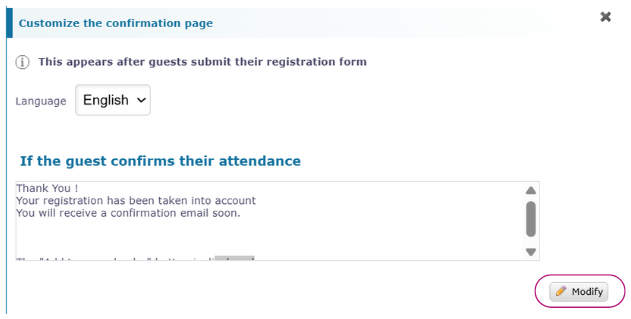
At the very bottom, click on “View these pages here.”

Click on Modify on the confirmation message.
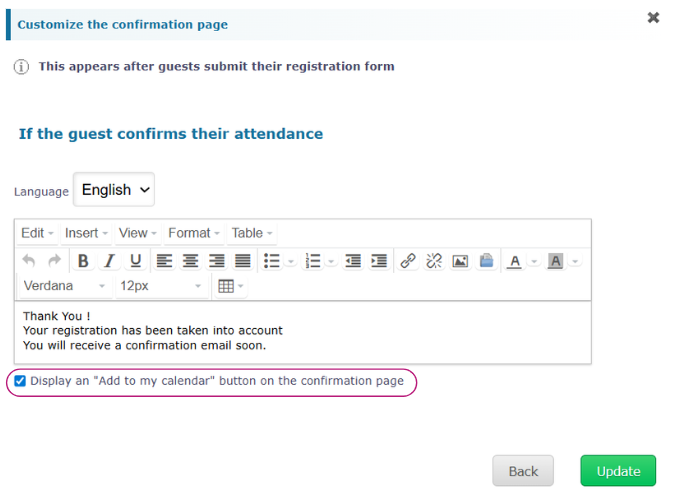
Enable “Display an ‘Add to my calendar’ button on the confirmation page.”
On the participant side:
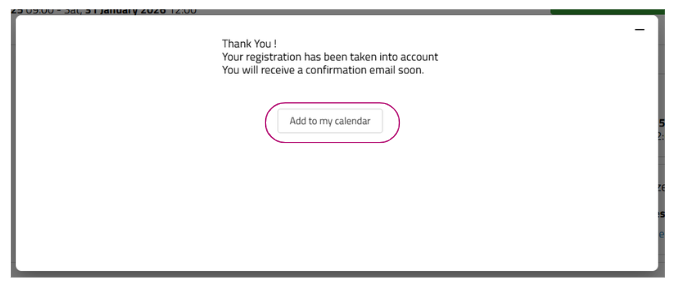
After registering, the participant is redirected to the confirmation page.
They click on the “Add to my calendar” button.
An .ical file is automatically downloaded.
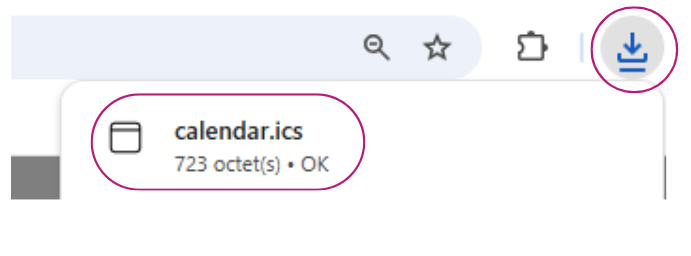
When they open this file, the event’s dates and times are automatically added to their calendar.