
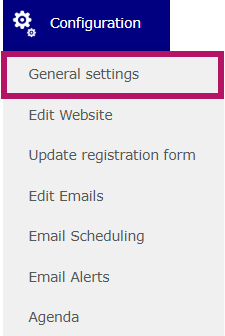
To personalize your sender email address, go to Configuration > General Settings.
Then, go to the Website tab.

You must first define the URL, even if your website is private:

The system will automatically check whether the URL is available.
The name entered after evenium.events/ is still required, even for a private website. It forms part of the personalized link sent to each guest, while the other characters are automatically generated and differ from one guest to another.
Once the URL has been created, the corresponding sender email address will be automatically generated:

⚠️ Please note: The same URL and sender email address cannot be used for two different websites.
If you need to reuse the same URL as a previously created event for a new event, please contact us.
⚠️ If a custom domain name has been configured as part of your contract, it will appear instead of evenium.events in the interface.
⚠️ ⚠️ Once the URL has been created and the sender email address has been generated, neither can be modified.
Make sure to save the page before leaving it.